Features
A menu bar icon that suits you
Transcript.audio lives quietly in your menu bar or system tray. Choose an icon you like and see at a glance whether you are recording.
All plans
How it works
Choose from 14 styles, including a simple circle, a microphone, a headset, a speech bubble, a wave, a notebook, a cassette, an owl, a parrot, a fox, an elephant and a bat.
Show status by colour and shape, by shape only, or keep the icon the same at all times.
Hide the Dock or taskbar icon while a recording runs, for a tidy desktop when you share your screen.
What you get
A menu bar icon you will like
Choose from 14 icon styles, from a simple circle to an owl or a cassette.
See at a glance whether you are recording, with an icon that fits your desktop.
Status at a glance
The icon shows status by colour and shape, by shape only, or stays the same.
Pick the level of detail you want in your menu bar.
All plans
Learn more: Status at a glanceStays out of your way
Optionally hide the Dock or taskbar icon while a recording runs.
A tidy desktop while you present or share your screen.
All plans
Learn more: Stays out of your wayA heads-up before recording starts
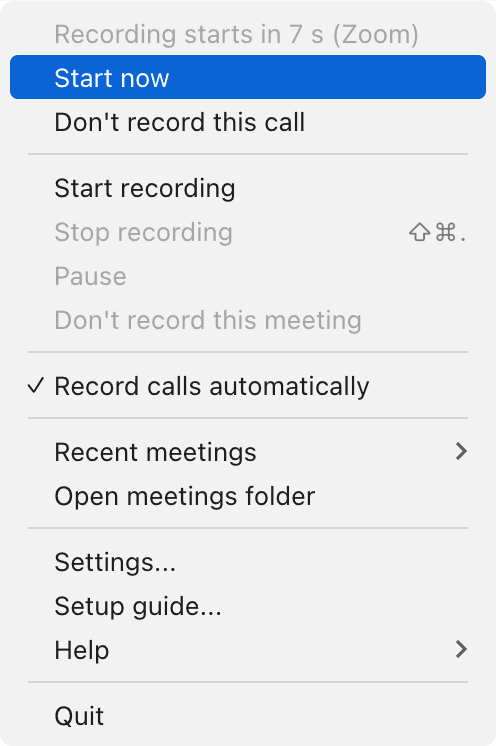
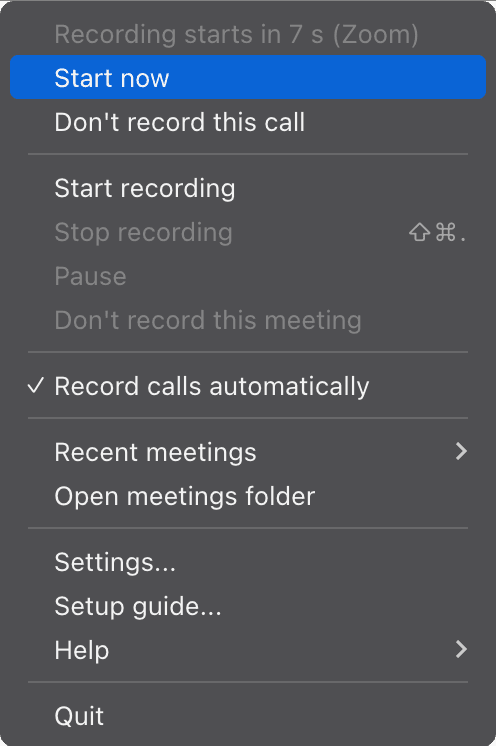
A short countdown in the menu bar, with "Start now" and "Don't record this call" one click away.
You stay in charge of every recording, even when it starts automatically.
Frequently asked questions
Where do I change the icon?
In Settings, under Appearance. The change shows straight away.
Does the icon show when I am recording?
Yes. By default it changes colour and shape while recording.
Related features
Try it on your next meeting
Download free and your first meeting notes are minutes away. No bot, nothing to set up.
Try Pro Converser free for 1 month. All future updates included, free.