Features
Recording that starts and stops with your meetings
Join a call and Transcript.audio starts recording after a short countdown. Leave the call and it stops. There is nothing to remember.
All plans
How it works
Works with Zoom, Microsoft Teams, Webex, Slack, FaceTime, Discord and WhatsApp, and with meetings in your browser such as Google Meet, Microsoft Teams and Zoom. You can add any other app in Settings.
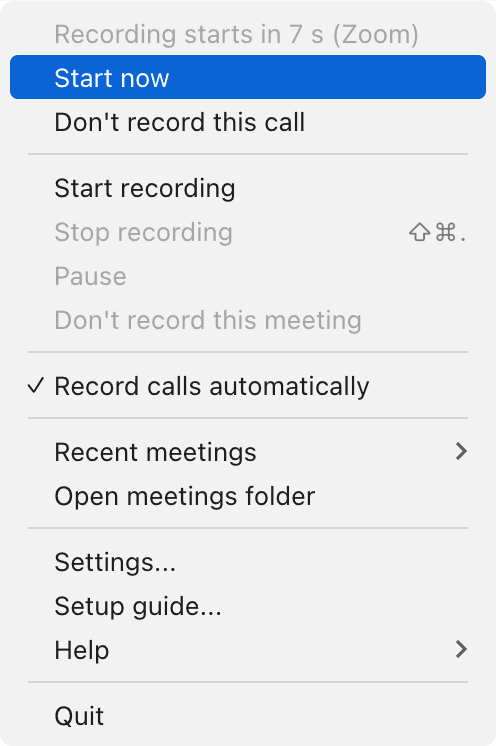
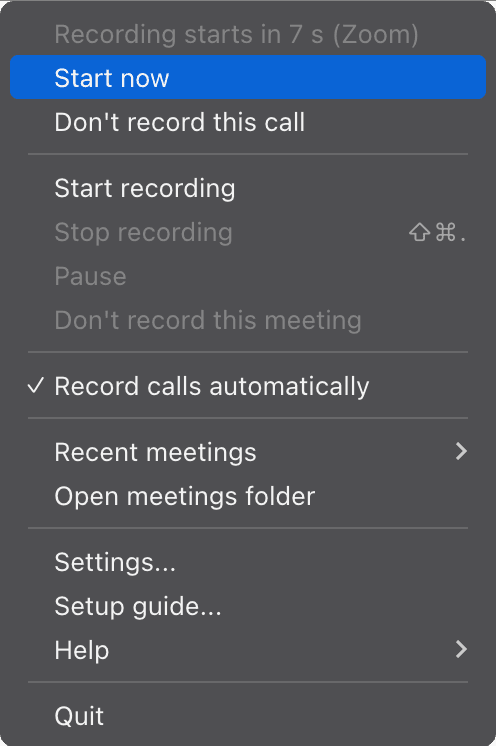
When a meeting app starts using your microphone, a short countdown appears in the menu bar or system tray, with "Start now" and "Don't record this call" one click away.
When the call window closes or the app lets go of the microphone, the recording stops and your notes are written.
Noise-suppression apps that hold the microphone all day are ignored, and accidental recordings under a minute are discarded.
What you get
Records your meetings automatically
Join a call and recording starts on its own, then stops when the call ends.
You never forget to press record, and you never leave it running after the meeting.
Works with the apps you already use
Zoom, Microsoft Teams, Webex, Slack, FaceTime, Discord and WhatsApp, plus meetings in your browser.
Whatever app a client sends you, it is covered, and you can add any other app yourself.
Browser meetings too
Google Meet, Microsoft Teams, Zoom, Whereby and Webex in Chrome, Safari, Edge, Firefox, Arc, Brave and more.
No need to install another meeting app just to get notes.
All plans
Learn more: Browser meetings tooA heads-up before recording starts
A short countdown in the menu bar, with "Start now" and "Don't record this call" one click away.
You stay in charge of every recording, even when it starts automatically.
Only real meetings
Always-on microphone apps are ignored and accidental recordings under a minute are discarded.
Your meetings list holds meetings, not voice notes, dictation or false starts.
All plans
One click to start or stop
Start and stop from the menu bar or system tray, or stop with a keyboard shortcut.
Recording is always one click away, whichever window you are in.
All plans
Frequently asked questions
Which meeting apps does it detect?
Zoom, Microsoft Teams, Webex, Slack, FaceTime, Discord and WhatsApp on your desktop, and Google Meet, Microsoft Teams, Zoom, Whereby and Webex in your browser. You can add any other app yourself.
Can I still start and stop by hand?
Yes. Start or stop from the menu bar or tray at any time, or stop with a keyboard shortcut.
Will it record calls I do not want recorded?
You get a countdown before every automatic recording, with a one-click "Don't record this call".
Related features
Try it on your next meeting
Download free and your first meeting notes are minutes away. No bot, nothing to set up.
Try Pro Converser free for 1 month. All future updates included, free.