Features
A finished meeting record the moment the call ends
When the call ends, Transcript.audio writes a clear meeting record and a full transcript, saved as Word documents you can edit and share.
All plans
How it works
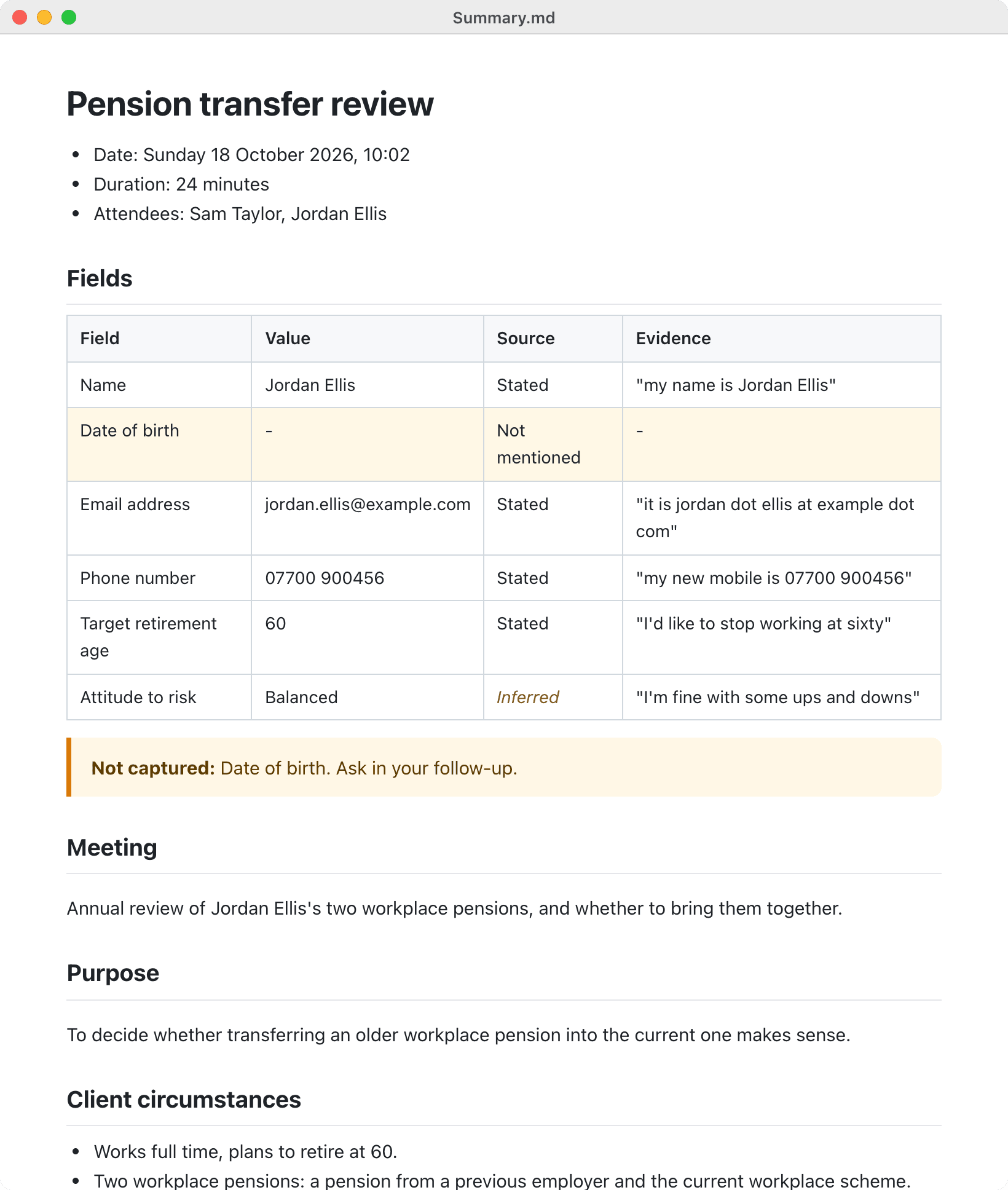
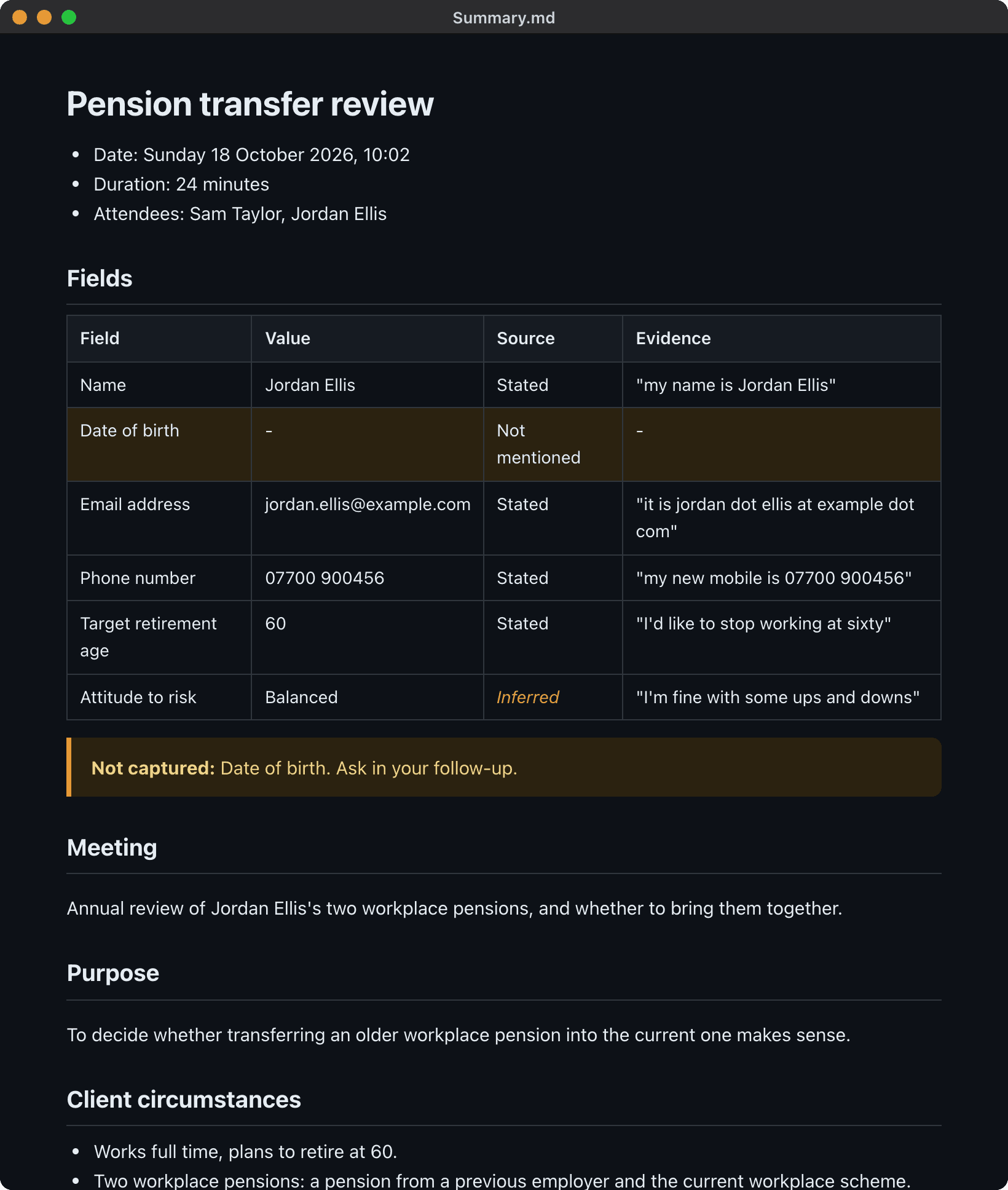
The meeting record covers the summary, the decisions made and an action plan, laid out for a client meeting or an internal meeting automatically.
Details you asked for are captured in a table with the words they came from, and anything not mentioned is listed so nothing is missed.
The full transcript is saved with times and speakers. Want a different format? Re-generate the notes with another template and the previous version is kept.
What you get
A meeting record, written for you
A clear Word document with the summary, decisions and action plan, ready when the call ends.
The write-up that used to take half an hour is done before you have closed the meeting app.
A full, timed transcript
Every word of the meeting in a Word document, with times and speakers.
When the exact wording matters, you can check precisely what was said and when.
All plans
Learn more: A full, timed transcriptCaptures the details you need
Tell it what to listen for, and each detail is filled in with the words it came from.
Facts, figures and requirements are pulled out for you, and you can see exactly where each came from.
The right layout for every meeting
Client meetings and internal meetings each get a record laid out for that kind of call.
A client review reads like a client file note, and a team catch-up reads like team minutes.
Re-generate notes in seconds
Write the notes again with another template, and the previous version is kept safely.
Try a different format without recording again, and never lose the notes you had.
Top AI models included
Notes written by leading models such as Claude, with AI included in your plan.
Better models mean fewer corrections, and there are no API keys or AI bills to manage.
Premium and Pro Converser
Learn more: Top AI models included
Frequently asked questions
What format are the notes in?
Word documents: Meeting record.docx and Transcript.docx, saved in the meeting folder.
Can I change how the record is laid out?
Yes. Pick a template, add your own instructions, or describe a layout of your own.
How soon are the notes ready?
Your notes are written as soon as the call ends, with nothing for you to do.
Related features
Try it on your next meeting
Download free and your first meeting notes are minutes away. No bot, nothing to set up.
Try Pro Converser free for 1 month. All future updates included, free.